Complete Site Structure
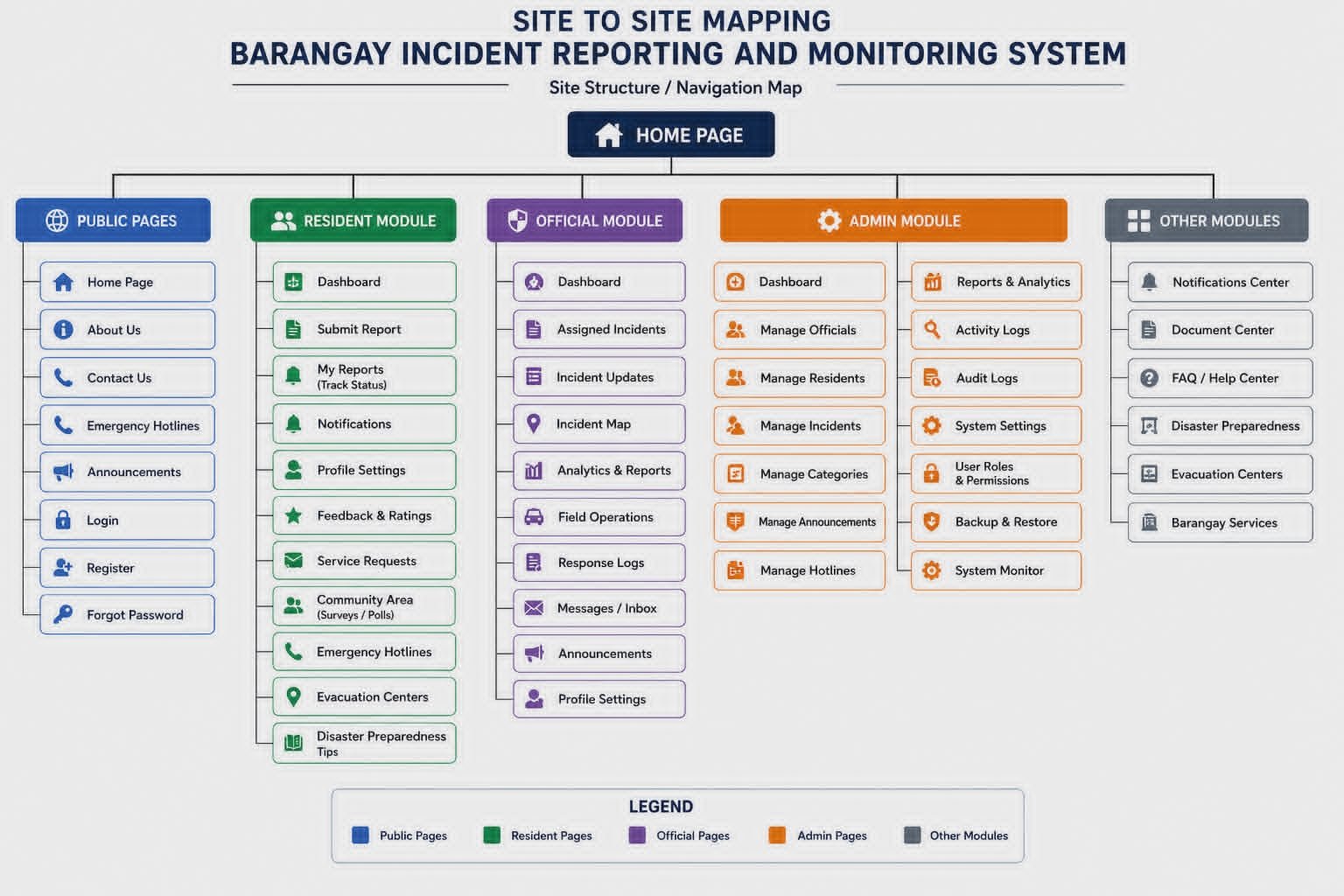
Figure 2.1: Complete Site Structure — hierarchical mapping of all 38 pages organized by user roles (Public, Resident, Official, Admin) showing parent-child relationships and navigation flow.
Page Navigation Hierarchy
Figure 2.2: Complete Navigation Hierarchy — organized by user roles showing all 38 accessible pages with their file names and relationships.
Total Pages
Full coveragePublic Pages
Landing + AuthResident Pages
Reporting + profileOfficial Pages
Incident mgtAdmin Pages
Full controlUser Roles
Public, Resident, Official, AdminParent → Child relationships · Role-based access · Secure routing
All pages connected via dashboard, sidebar, and user menus
Navigation Flow & Access Mapping
Entry Points
- Public homepage → Login/Register
- Resident dashboard → Submit reports, track status
- Official login → Assigned incidents, field reports
- Admin panel → Manage users, analytics, settings
Cross-role transitions
- Public registration → Resident area
- Resident incident → assigned to official (back-end linking)
- Official resolution → Admin analytics & logs
- Admin manages all hierarchical data flows
Figure 2.3 (Conceptual Flow): The diagram above outlines the parent-child page relationships and user journey transitions. Every role-specific section maintains a consistent navigation pattern: dashboard as hub, CRUD operations, reports/analytics, and profile management. The system ensures that each page falls under a single role hierarchy with contextual back-links for seamless site-to-site experience.